Zepp OS 5 Overview
Zepp Flow™
Redesigned interface: Zepp Flow™ 2.0*¹ introduces a refreshed look that feels both modern and intelligent.
Workout goals and reminders: Set workout goals and reminders directly in Zepp Flow™.
Privacy control: Delete conversation history at any time for greater peace of mind.
Weather updates: Check wind and humidity with natural language descriptions that feel more personal.
BioCharge™ queries: Ask about your current BioCharge™ or check Wake BioCharge™ for any date.
Separate volume controls: Adjust alarm, media, workout, and system volumes separately for a more tailored experience.
Workout Modes
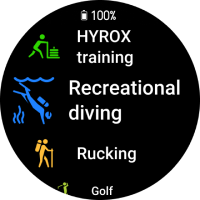
HYROX training. Structure your sessions with the right intensity and rhythm to improve HYROX performance.
Recreational diving. Track every dive with depth, duration, and more, making your watch a reliable underwater companion.
Rucking. Log your pack weight before each session for more accurate calorie burn and a scientific evaluation of your training.
Golf.*² Professionally track every stroke and record complete round data to help you improve your game with precision.
Workout Experience
Touch and button lock: Personalize lock settings for each workout mode with customizable unlock options.
Advanced running metrics: Track vertical stride length and ground contact time to support more scientific training.
Interval training modes: HYROX training, Cross-training, and HIIT now support AMRAP, TABATA, and EMOM timers. Create templates in the Zepp app and sync them for structured training.
Weighted load: Set the load in supported workout modes*³ to calculate calories more accurately and evaluate training scientifically.
Workout Data Integration
Stryd: View real-time data*⁴ streamed from your Stryd sensor during running and walking workouts.
TrainingPeaks: Sync your TrainingPeaks training plans*⁵ to the Zepp app and access them directly on your watch when starting a workout.
Intervals.icu.*⁶ Use the Intervals.icu app on your watch to access workout analysis and structured training plans from your account.
Helio Strap: Get live heart rate data from the Helio Strap on your watch, and check its battery level and other details in the Zepp app*⁷.
Maps and Navigation
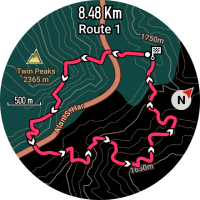
A smoother way to explore. Maps now support pinch and swipe gestures for intuitive browsing.
Offline route planning.*⁸ Plan routes directly on your watch without connecting to your phone, including navigation from your current location to a destination or distance-based round trips.
Auto-rerouting.*⁹ If you go off course during a workout, your watch automatically replans the route based on your current location.
Find nearby places. Search for restaurants, shops, landmarks, and more POIs around you for added convenience during workouts or travel.
BioCharge™
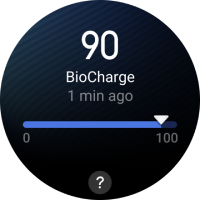
A new way to measure daily energy. By combining sleep quality, daytime rest, heart rate variability (HRV), resting heart rate, and overall activity, BioCharge™ calculates a dynamic score that updates in real time to show how your energy changes throughout the day. This helps you balance training and recovery more effectively.
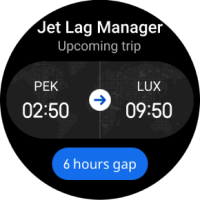
Jet Lag Manager
Professional guidance to ease jet lag. Jet Lag Manager analyzes your circadian rhythm with advanced algorithms to plan the optimal timing of light exposure and sleep, helping you adapt faster and feel better when traveling across time zones.
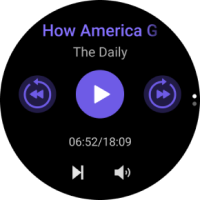
Podcast
Enjoy your favorite shows on your wrist. With the new Podcast app*¹⁰, you can subscribe by search, RSS link, or OPML file, and download episodes directly to your watch. Once downloaded, listen offline during workouts or daily life — no phone required.
App and workout lists
Refined visual focus. Refined list views for apps and workouts highlight the item in focus, making navigation clearer and more intuitive.
Notifications
Turn wrist for notification bubbles: Quickly open and view full notifications with a simple wrist turn.
Auto-show following notifications: While viewing one notification, subsequent notifications appear automatically after a brief delay.
Smart info extraction: Instantly recognize verification codes and phone numbers in notifications for faster handling.
Shortcut button support: By default, double-pressing the BACK button opens Notification Center. Customize it to start a workout or open an app.
AI Notification Assistant.*¹¹ Summarizes your notifications, highlights key schedule details, and offers reply suggestions with one tap.
Zepp Messenger: Unlocks a more complete messaging experience. With Zepp Messenger enabled in the Zepp app, Android users can send SMS*¹² directly through Zepp Flow™, and iOS users can reply to notifications from popular chat apps*¹³.
Keyboard
Accented characters and symbols: Long-press letters and keys to enter German, French, Italian, Spanish, and Portuguese characters, plus additional symbols.
Layout options: Choose QWERTY, QWERTZ, or AZERTY layouts in Settings to match your typing habits.
Sound and vibration
Separate volume controls: Adjust alarm, media, workout, system, and voice assistant volumes independently for finer control.
Expanded sound options: Choose from more ringtones and alert sounds for calls, notifications, and alarms.
Vibration intensity: Select from six levels, ranging from gentle to strong, to suit your preference.
Accessibility
Screen magnifier: Double-press the BACK button to zoom in on a fixed area of the screen, and drag the window to adjust the view.
Text size: Choose from six text size levels to improve readability and comfort.
Screen capture: Take quick screenshots of your watch display and have them automatically synced to your phone, making it easy to share workout achievements, health data, and special moments.

Compatibility and Feature Availability

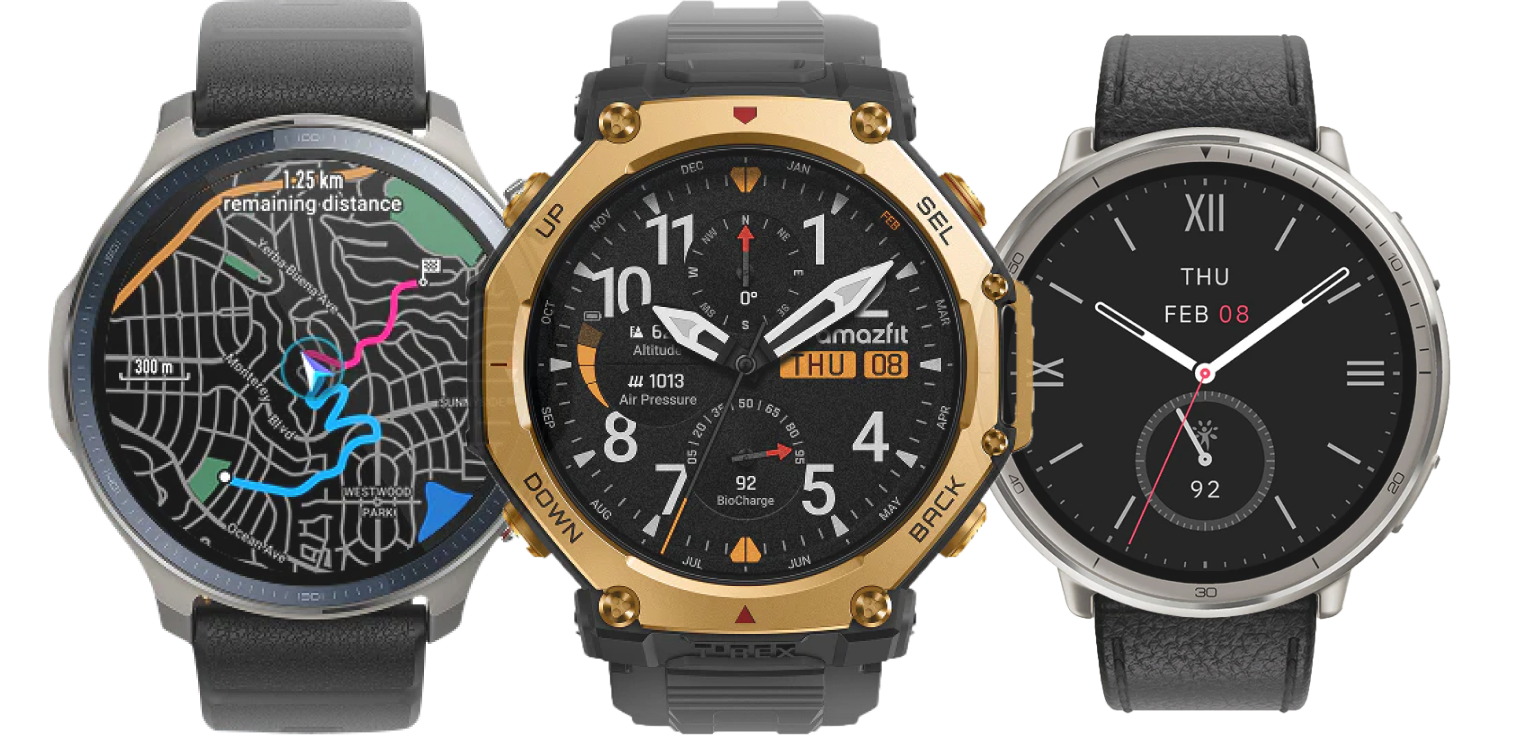
Zepp OS 5 is currently compatible with:
  • Amazfit T-Rex 3 Pro
  • Amazfit T-Rex 3
  • Amazfit Balance 2
  • Amazfit Active 2 (Round)
  • Amazfit Active 2 (Square)
  • Amazfit Bip 6
Learn More
*1. Zepp Flow™ currently supports English, French, German, Italian, Spanish, Japanese, Korean, and Portuguese, and may not be available in all countries.
*2. Golf is not available in all countries or on all courses.
*3. Weighted load is currently supported in Outdoor Run, Treadmill, Walking, Hiking, Trail Running, Trekking, Indoor Walking, Race Walking, Dog Walking, Rucking, Mountaineering, Orienteering, Track Run, and Ultramarathon workout modes.
*4. Requires a separately purchased Stryd device paired with your watch. Availability depends on Stryd hardware and services.
*5.  Requires a valid TrainingPeaks account. Availability depends on third-party service and region.
*6. The Intervals.icu app is available from the Zepp App Store. Requires a valid Intervals.icu account. Availability depends on third-party service and region.
*7. Requires a separately purchased Helio Strap paired with your watch. The Amazfit Helio Strap app is available from the Zepp App Store.
*8. Offline route planning requires downloading offline map data in advance. When choosing a point on the map for navigation, the total distance is limited.
*9. Route rerouting is available only with point-to-point navigation.
*10. The Podcast app is available from the Zepp App Store. Search may not be available in all countries, and all podcast content is provided by third parties.
*11. AI Notification Assistant requires Zepp Flow™ version 1.8.0 or later.
*12. Availability may vary depending on your Android phone model and software version.
*13. iOS notification replies require a valid Beeper account with connected chat apps. Currently supported apps include WhatsApp, Facebook Messenger, Telegram, X, Instagram, LinkedIn, Signal, Slack, Discord, and Google Chat. For more information, see How to Reply to iOS Message Notifications on Amazfit Devices.

Features are subject to change. Some features, applications, and services may not be available in all regions or all languages.